> For the complete documentation index, see [llms.txt](https://docs.meteofivem.net/llms.txt). Markdown versions of documentation pages are available by appending `.md` to page URLs; this page is available as [Markdown](https://docs.meteofivem.net/packages/meteo-v2-package/scripts/meteo-mdt.md).

# Meteo MDT

Meteo MDT - records terminal for police, EMS, judges and lawyers designed exclusively for the meteo fivem server.

This is a guide about testing the meteo fivem MDT exclusively made for meteo server.

The MDT is not police only anymore. Police, EMS, judges, lawyers and the mayor all get their own view of it, and civilians get a public terminal with the parts everyone is allowed to see.

{% hint style="info" %}
Get access to our exclusive video testing guide on Discord to see all of this in action.
{% endhint %}

{% hint style="success" %}
Try it yourself for free on our showcase server. [See here to get access](/packages/meteo-v2-package/how-to/how-to-access-showcase-server.md).
{% endhint %}

***

## Before You Start

* Access to the meteo showcase server
* Police job: `/setjob yourid police 4` (grade 4 is chief so you get full access)
* Open the MDT with **F5** or `/mdt`
* You need to be on duty. Clock in at the station first

{% hint style="info" %}
Want to see the other side of it? Try `/setjob yourid ambulance 4` for the medical view, `/setjob yourid judge 0` for the court view and `/setjob yourid lawyer 0` for the attorney view. Each one opens a different set of tabs.
{% endhint %}

***

## Testing MDT Features

### Dashboard

* When you open the MDT you land on the dashboard
* Widgets show open reports, active warrants, active BOLOs, most wanted, upcoming hearings, recent reports and your own recent activity
* The radio panel is here too - see [Radio](#radio) below

### Search

{% stepper %}
{% step %}
Go to the search tab and type anything - a name, State ID, plate, weapon serial, case number or tag
{% endstep %}

{% step %}
It searches every record you have access to at once - citizens, vehicles, reports, weapons, warrants, licenses, fingerprints, lab reports, master files and tags
{% endstep %}

{% step %}
Filter by type using the dropdown if you get too many results
{% endstep %}
{% endstepper %}

### Citizen Records

* Search a citizen and open their profile
* Tabs on a profile: personal info, convictions, reports, vehicles, properties, weapons, licenses, fines, tickets and prescriptions
* Personal info includes date of birth, gender, nationality, phone, blood type, occupation and whether their fingerprint is on file
* Add officer notes, attach tags, mark them wanted or clear the wanted flag

{% hint style="info" %}
Deleted characters stay on file. The record is kept and still linked to their reports, warrants and court filings so old cases do not break.
{% endhint %}

### Vehicle Records

* Search by plate, model or owner
* Vehicle profile shows owner, status (out, garaged, impounded), stolen and seized flags and officer notes
* Report a vehicle stolen, mark it recovered and add notes
* Vehicle BOLOs work with [meteo-policeradar](/packages/meteo-v2-package/scripts/meteo-policeradar.md) - the radar alarms when that plate passes

### Weapon Registry

{% stepper %}
{% step %}
Open a citizen's profile while they are near you and holding a weapon, then use **Register Weapon**
{% endstep %}

{% step %}
The weapon is logged with its serial, type, attachments, where it was registered and who registered it
{% endstep %}

{% step %}
Search that serial later to pull the full history - owner changes, stolen reports, seizures and unregistrations
{% endstep %}

{% step %}
Try flagging one as stolen or seized, then clearing the flag. Weapons registered through the police armory or a gun shop show up here automatically
{% endstep %}
{% endstepper %}

### Reports

{% stepper %}
{% step %}
Go to reports and create a new one. Types are incident, investigative, FTO and personnel
{% endstep %}

{% step %}
Add a title and description with the rich text editor - bold, headings, lists, quotes, colours, mentions and images pulled from the photo reel
{% endstep %}

{% step %}
Add suspects with notes and charges, add victims, add tasks, and link vehicles, weapons, properties, evidence lockers, lab reports and other reports
{% endstep %}

{% step %}
Assign officers, set the incident date and due date. Reports auto save as you work and lock while someone else is editing
{% endstep %}

{% step %}
From a report you can issue a warrant or book a suspect directly
{% endstep %}
{% endstepper %}

### Booking (Jail and Fines)

* Booking a suspect from a report opens the charge sheet
* Select charges, choose a plea (no contest, not guilty, guilty), add a lawyer name, set jail time and fine amount
* Apply a reduction - the limit depends on your grade. Cadet 10%, officer 25%, sergeant 50%, lieutenant 75%, chief 100%
* Choose jail plus fine, or fine only

### Penal Code

* Browse every charge in the penal code tab
* 9 categories: violent crimes, drug offenses, weapons offenses, drug manufacturing, property crimes, fraud and forgery, traffic violations, disorderly conduct and DUI
* Each charge has 3 levels - principal, accessory and conspiracy - with its own fine and jail time

### Warrants

* Issue arrest or search warrants against a person, vehicle, phone or property
* Set the grounds, authorizing judge and expiry
* Warrants can also be created from inside a report
* Print a physical copy - see [Printed Documents](#printed-documents)

### Wanted and BOLO

* Mark a citizen wanted with a reason - they show on the dashboard most wanted list and on the public terminal
* Post BOLOs for citizens, vehicles or weapons with details and tags
* Resolve a BOLO once it is done

### Court Docket

{% stepper %}
{% step %}
Set yourself to `judge` or `lawyer` and open the court docket tab
{% endstep %}

{% step %}
Create a filing - criminal or civil - with a case number, title and description
{% endstep %}

{% step %}
Add defendants, plaintiffs and witnesses. Charges pull in from any linked reports, or add them manually
{% endstep %}

{% step %}
Assign a presiding judge and a lawyer, schedule hearings and watch them appear on the calendar view and the dashboard
{% endstep %}

{% step %}
Post updates to the filing, add court notes and attach photos
{% endstep %}
{% endstepper %}

### Laboratory

This replaces the old standalone fingerprint scanner. Forensics now run as real lab work with a queue.

{% hint style="warning" %}
**The lab work is not done inside the MDT.** You do it in the world, standing at the lab bench and the evidence intake, using the target menus there. The Laboratory tab in the MDT is where the finished reports get read - it does not process anything.
{% endhint %}

**At the lab bench** - `/tp -543.46, -121.92, 43.86`

Target the bench and the menu gives you:

| Option              | What it does                                                                       |
| ------------------- | ---------------------------------------------------------------------------------- |
| Upload Fingerprints | Files every fingerprint card you are carrying, no order needed                     |
| Register Lab Order  | Opens a new case folder with its own evidence stash                                |
| Lab Orders          | Work your open folders - open the stash, start processing, rename, cancel or close |

**At the evidence intake** - `/tp -540.98, -118.86, 43.86`

Target the intake and you can open the drop box or upload everything in it. The box only accepts lab reports.

**In the MDT** - the Laboratory tab lists every report that made it through intake. Open one to see the evidence in it, what it matched, the lab notes and the analysis history.

### Testing the Full Lab Run

{% stepper %}
{% step %}
Get a `meteo_fingerprint_kit` and use it near a suspect to lift their print onto a `meteo_fingerprint_card`. One kit does 10 prints
{% endstep %}

{% step %}
Go to the lab bench, target it, and register a lab order with a case label
{% endstep %}

{% step %}
Open that order's stash from the same menu and drop your filled evidence bags in
{% endstep %}

{% step %}
Choose **Start Processing**. The order goes in the queue and the report is ready after a short wait
{% endstep %}

{% step %}
Collect the finished `meteo_lab_report` from the order, then walk to the evidence intake and upload it
{% endstep %}

{% step %}
Now open the MDT and go to the Laboratory tab to read what it matched
{% endstep %}
{% endstepper %}

{% hint style="info" %}
Reports track evidence quality. A degraded sample gives no DNA, a partial or smudged print may not match, and a scratched serial gives no weapon. You can re-run an analysis later once more records exist, and the run history shows whether anything new matched.
{% endhint %}

* The lab is gated by job and duty rather than by an MDT permission, so you need to be on duty in an allowed job to use the bench at all
* Only filled evidence bags go in a lab order, and an order locks once it is in the queue
* Boss grade can expunge a fingerprint from record with a reason

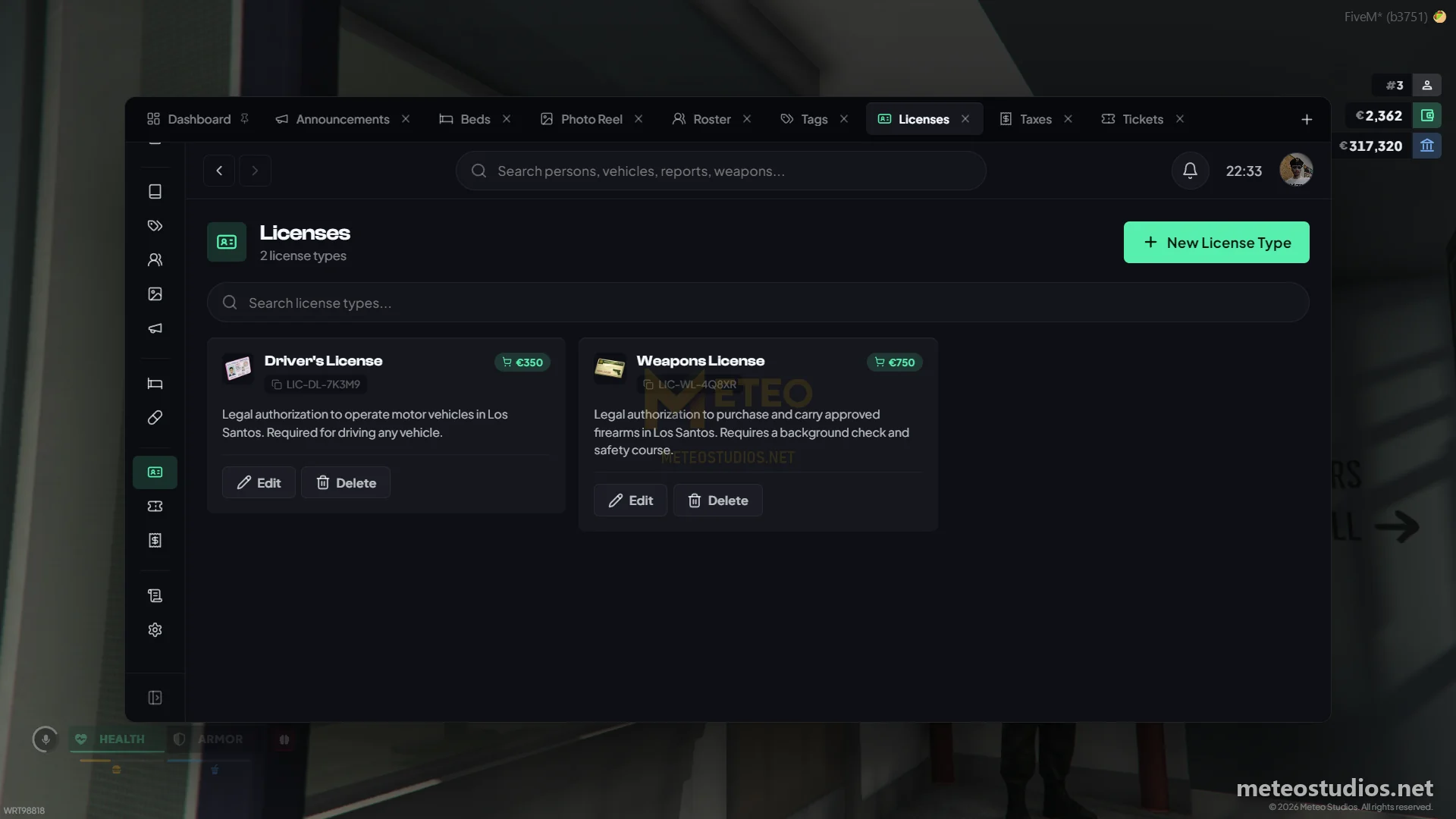
### Licenses

* Create license types in the licenses tab - name, description, card image and price
* Mark a type **obtainable** and citizens can buy it themselves at city hall
* Issue, suspend, reinstate or revoke a license on a citizen's profile, each with an audit trail
* Hand out a physical `meteo_license` card. Showing the card re-reads the live status, so a suspended license cannot be hidden behind an old card

### Tickets

* Create ticket types in the tickets tab with a default fine and a hard maximum the server enforces
* Issue tickets from a citizen's profile, then mark them paid, unpaid or void
* Citizens pay their fines and tickets at the city hall or courthouse NPC, or on the public terminal

### Beds and Prescriptions

Set yourself to EMS with `/setjob yourid ambulance 4` for these.

* **Beds** shows live hospital bed occupancy per ward, with patient condition (stable, recovering, critical) and how long they have been admitted
* **Prescriptions** lists everything written across every patient. Write a new one to a patient and filter by active, expired or cancelled

### Roster

* Shows department personnel - members, rank, callsign, duty status, strikes and praises
* Hire citizens straight into the department, change ranks and fire members
* You cannot manage someone of equal or higher rank, or change your own rank
* A member profile shows their 30 day duty heatmap, statistics (tickets, reports, fines, jail time, impounds) and their activity logs from evidence, laboratory, armory, garage and prison

### Photo Reel

{% stepper %}
{% step %}
Get a `meteo_camera` and use it in the field. Left click captures, scroll zooms
{% endstep %}

{% step %}
The photo lands in the MDT photo reel under the Camera category
{% endstep %}

{% step %}
Add photos manually by URL too, and organise everything with your own categories
{% endstep %}

{% step %}
Use **Locate** on a photo to mark where it was taken on your map
{% endstep %}
{% endstepper %}

* Photos can be attached to reports, court filings and person records
* Mugshots pushed in by other scripts show up here as well

### Printed Documents

Everything important can leave the MDT as a real item someone can read in hand.

| Document      | What you need      | What it is                                               |
| ------------- | ------------------ | -------------------------------------------------------- |
| Citation      | `meteo_ticketbook` | Notice to appear with the violation, fine and court date |
| Wanted poster | `meteo_caseforms`  | Printed wanted notice or BOLO sheet                      |
| Warrant       | `meteo_caseforms`  | Signed arrest or search warrant                          |

* A ticket book holds 25 pages and a form pad holds 25 sheets. Printing tears one out
* Use the printed item to read it. Press **ESC** to put it away
* Printed papers re-check the record, so a cleared wanted flag reads as no longer wanted

### Tags

* Create your own tags with a name, colour and scope (persons, vehicles or both)
* Attach them to records and then search by tag later

### Sharing Records

* Use **Share** on a report or court filing to give specific people view, edit or post access
* You can only grant access your own role holds
* Recipients see it under **Shared with Me** in their sidebar plus a notification
* Sharing grants access to that one record, not to the MDT itself

### Radio

* Managed radio channels live on the dashboard
* Create a channel with a name like TAC-1, see who is connected and mute individual members
* Works together with [meteo-radio](/packages/meteo-v2-package/scripts/meteo-radio.md)

### Announcements and Notifications

* Boss grade can post department wide announcements with a priority (normal, important, urgent)
* Notifications sit in the topbar with an unread badge. Mark them read one at a time or all at once

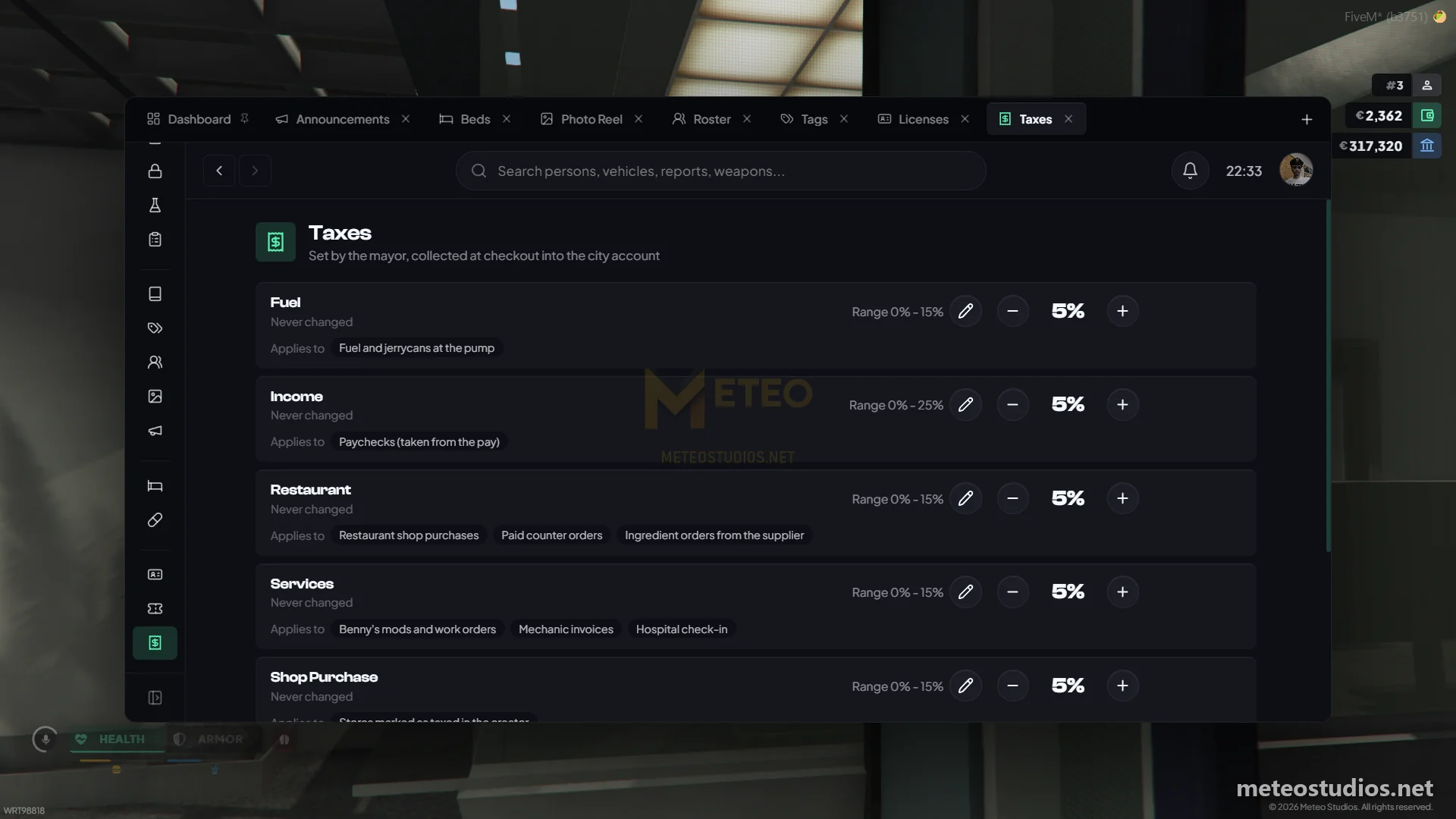
### Taxes

* The taxes tab lists citizen tax records with their bracket, amount owed and amount paid

### Logs

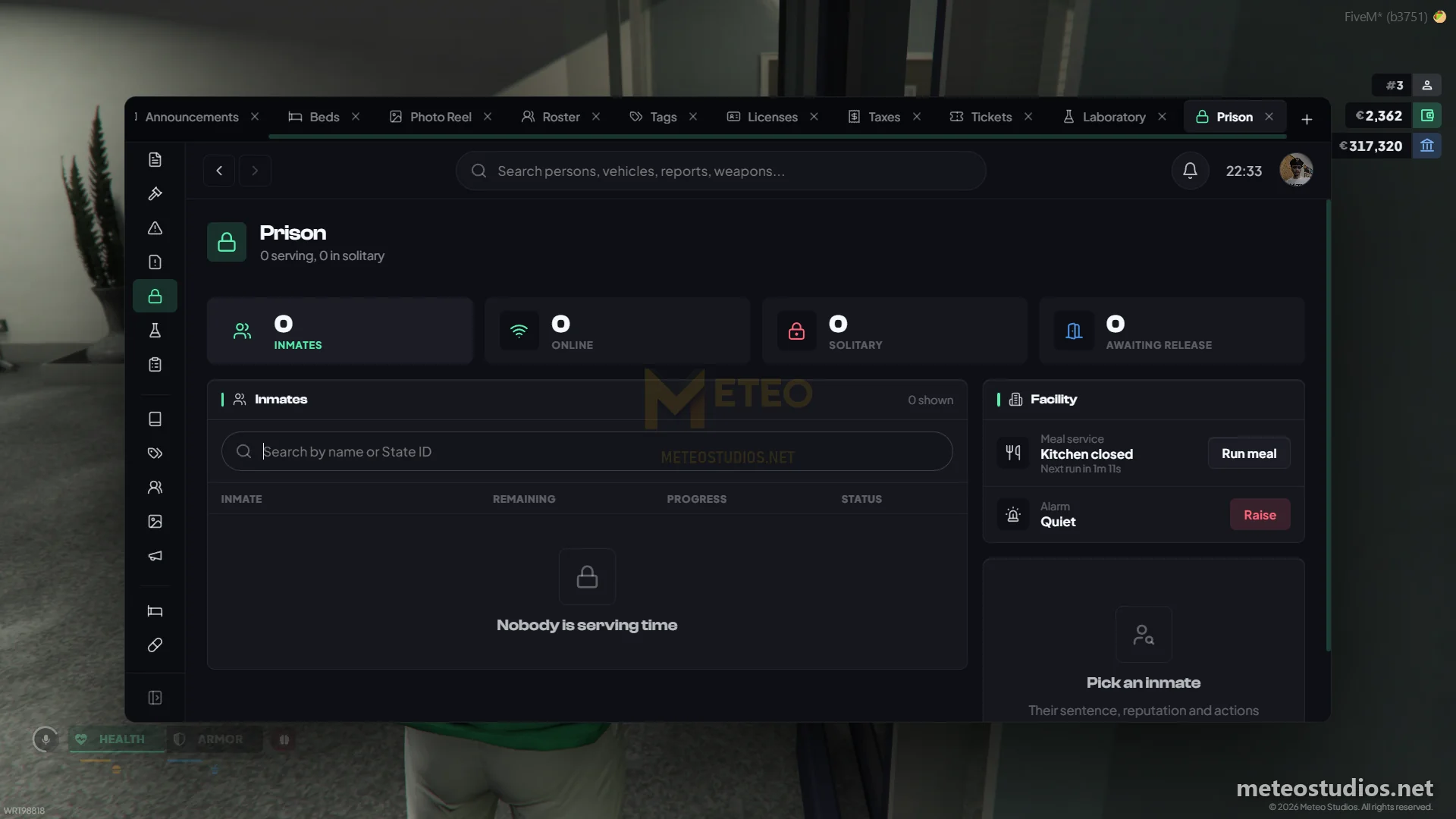
* **Audit logs** record every action taken in the MDT
* **Activity logs** record per citizen activity pushed in by other scripts - evidence, laboratory, armory, garage and prison - and show on roster member profiles

### Public Terminal

{% stepper %}
{% step %}
Clear your job with `/setjob yourid unemployed 0`
{% endstep %}

{% step %}
Go to `/tp -1293.72, -570.54, 30.57` and target the public records clerk
{% endstep %}

{% step %}
As a civilian you get the public record - announcements, the penal code and the public wanted list
{% endstep %}

{% step %}
Target the same ped for **Fines & Tickets** to pay what you owe with cash or bank
{% endstep %}
{% endstepper %}

{% hint style="info" %}
Off duty officers fall back to this same public view, so the job side of the MDT only opens when you are clocked in.
{% endhint %}

### Roles and Permissions

{% stepper %}
{% step %}
Go to settings and open **Role Management** (admin only by default)
{% endstep %}

{% step %}
A role is matched on an exact job and grade, so every rank that needs access gets its own role
{% endstep %}

{% step %}
Pick exactly which permissions that role holds. Copy and paste permission sets between roles to build ranks quickly
{% endstep %}

{% step %}
The **Everyone** role applies to every player on top of their job role - that is what makes the public terminal work
{% endstep %}

{% step %}
Use **View As Role** to preview the MDT exactly as any role sees it, so you can check a rank before handing it out
{% endstep %}
{% endstepper %}

The server ships with roles for police (recruit to chief), EMS (recruit to chief), judge, lawyer and mayor.

### Settings

* Set your own profile photo and toggle whether the MDT dims and frees your cursor when the mouse leaves the window

***

## Good to Know

{% hint style="success" %}
Allowed jobs, keybind, roles and permissions, penal code charges, fine amounts, jail times, lab locations and timings, ticket books, license cards, log retention and paperwork headers are all configurable on our config. You can change them once you get the server. We will guide you :)
{% endhint %}

* Charge reduction limits per grade are configurable too
* Profile and photo image URLs are checked against an allowed host list, so nobody can paste a random link
* Logs are kept for 30 days by default and old rows are cleared on server start

{% content-ref url="/pages/SduIxsmyvaBT2zsKaHPs" %}
[Meteo Police Job](/packages/meteo-v2-package/scripts/meteo-policejob.md)
{% endcontent-ref %}

{% content-ref url="/pages/WwXKQbXl7BRl2ikyISji" %}
[Meteo Evidence](/packages/meteo-v2-package/scripts/meteo-evidence.md)
{% endcontent-ref %}

{% content-ref url="/pages/qfzdzN9WhGzYQ7qFLcGc" %}
[Meteo Police Radar](/packages/meteo-v2-package/scripts/meteo-policeradar.md)
{% endcontent-ref %}

{% content-ref url="/pages/rJxQVMuMeOwdtFHAGADv" %}
[Meteo Medical Job](/packages/meteo-v2-package/scripts/meteo-medicaljob.md)
{% endcontent-ref %}

{% content-ref url="/pages/TqR6itLcrRqtmgK26lzh" %}
[Meteo Jail](/packages/meteo-v2-package/scripts/meteo-jail.md)
{% endcontent-ref %}

{% content-ref url="/pages/hhWNzC8hd5YztwHKodf9" %}
[Meteo Banking](/packages/meteo-v2-package/scripts/meteo-banking.md)
{% endcontent-ref %}

> Connected with meteo-evidence for lab analysis, meteo-policeradar for plate alerts, meteo-medicaljob for beds, meteo-jail for booking and meteo-banking for fine payments